

Skip to content

Learn to code by writing it.

Short lessons sit next to a live editor. Write a few lines, run the tests, see what still needs fixing.

Hands typing on a laptop with code on the screen

Three small tasks. Try them here.

This is how a lesson feels. Read the brief, change the code, press Run and the checks answer straight away. It all happens on this page and nothing you type is sent anywhere.

Brief

Finish the shopping list

A ul element holds an unordered list. Each entry goes inside its own li element, and the browser draws a bullet in front of it.

What to do

  1. Add two more li items inside the ul, so the list has at least three
  2. Wrap the word Bread in a strong element so it stands out

Checks

  • The page should still have one ul element
  • The ul should hold at least three li items
  • No li item should be empty
  • Bread should sit inside a strong element

Change the code, then press Run.

index.html

Ctrl or Cmd + Enter runs the checks. Tab adds two spaces. Press Esc first if you want Tab to move on.

Result

Three panes, one lesson.

Every lesson screen splits the same way: what to do on the left, where you type in the middle, what the page looks like on the right.

Hands taking notes on a pad beside a keyboard, with code on a monitor behind
IllustrationA simplified drawing of a lesson screen: the brief and its checks on the left, the editor with the console under it in the middle, the live preview on the right.
  1. Brief and checksOne idea in a few lines, then the task, then one check per test that turns green when it passes.
  2. Editor and consoleWhere you type. Anything your code logs, and any error it hits, shows underneath.
  3. PreviewThe page as the browser draws it, updated while you type.

From empty file to passing test

  1. ReadEach lesson opens with a short explanation and one clear task.
  2. WriteType your code in the editor beside it. The preview updates as you go.
  3. RunPress run and the tests check your work against the task.
  4. FixChange what failed, run again, then move on to the next lesson.

Everything happens in one browser tab

  • Lesson on the left, editor on the right

    Read the task, type your answer and watch the preview change. Nothing to install and no setup screens to click through.

  • Tests tell you what is still wrong

    Every task carries its own checks. Run them and each line says pass or fail, with a pointer to what to change.

  • Starts at the very first tag

    HTML and CSS come first, then JavaScript. Libraries, charts and Python wait further along the route.

  • Pick up where you stopped

    Each finished task is saved to your account, so you can carry on later from another computer.

Person typing code on a laptop at a wooden desk

Where the lessons lead

The route opens with three languages in the order most people find gentlest: build the page, dress it, then make it react. Further tracks pick up from there.

Every plan starts here

  • Student typing on a laptop at a library table with an open book beside it

    HTML

    Mark up a page so the browser knows what each part is.

    • Elements and attributes
    • Ordered and unordered lists
    • Images and links
    • Forms, checkboxes and radio buttons
    • Labels and landmarks for screen readers
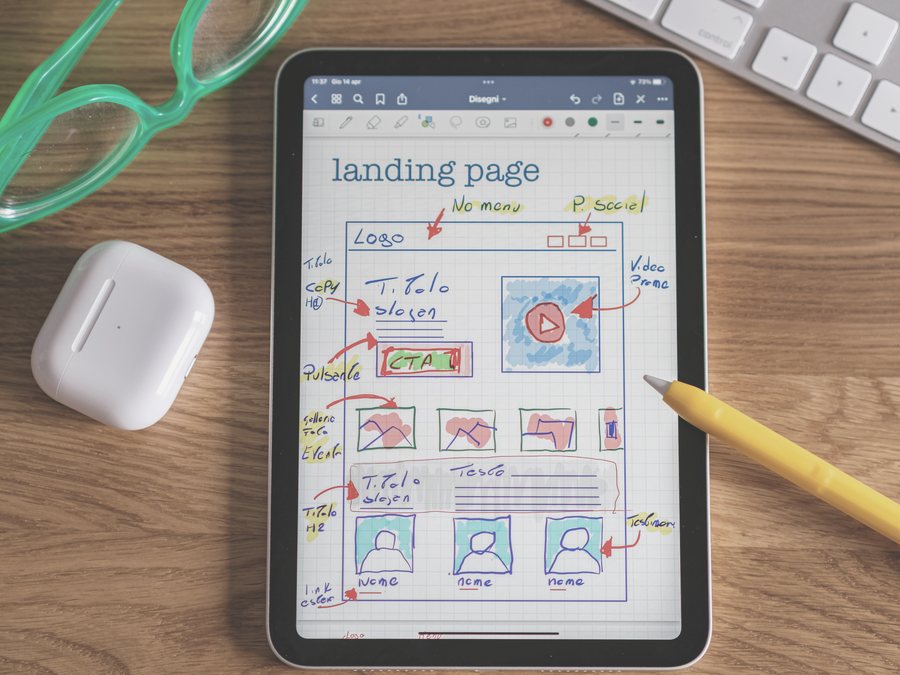
  • A tablet showing a hand-drawn page layout with notes, a pencil resting beside it

    CSS

    Decide colour, spacing and layout, on big screens and small.

    • Colour, fonts and text size
    • Margin, padding and borders
    • CSS variables
    • Flexbox rows and columns
    • Grid areas and repeat()
    • Media queries
  • Over the shoulder of a person typing code on a laptop

    JavaScript

    Store values, make decisions and repeat work with code.

    • Variables, strings and numbers
    • Arrays: push, slice and splice
    • Objects and their properties
    • for and while loops
    • Regular expressions
    • Arrow functions and destructuring
    • Debugging

Further along

These tracks build on the first three. Your plan decides which of them show up on your dashboard.

  • Front-end libraries

    Tasks in the editor

    Layout helpers, styles that scale and interfaces that update on their own.

    • Bootstrap
    • jQuery
    • Sass mixins and loops
    • React components and state
    • Redux
  • Data visualisation

    Tasks in the editor

    Draw charts from data and pull that data in from an API.

    • D3 scales and axes
    • SVG shapes
    • JSON from an API
    • fetch and XMLHttpRequest
  • Python

    Short videos, then questions

    The language itself, then using it on files, the web and a small database.

    • Loops and functions
    • Lists, tuples and dictionaries
    • Reading files
    • urllib and web pages
    • A first relational database
  • Data analysis with Python

    Short videos, then questions

    Load a data set, clean it up and see what it tells you.

    • Jupyter notebooks
    • NumPy arrays
    • pandas DataFrames
    • Reading CSV files
    • Cleaning duplicates
  • Machine learning with Python

    Short videos, then questions

    How models learn from examples, one idea per lesson.

    • TensorFlow basics
    • Classification and clustering
    • Training and test data
    • Convolutional networks
    • Text with RNNs

The quickest way to understand a loop is to write one.

Choose a plan and open your first lesson

Lessons run on a subscription you can stop from your profile. The Developer Toolkit is bought once and stays on your account.

Full access

Price at checkout

Plans load from our checkout

Ask about plans
  • Topic-by-topic lessons in HTML, CSS and JavaScript
  • An editor and live preview in the browser
  • Automatic tests on every task
  • Progress saved to your account

Secure checkout. Stop the plan any day from your profile.

Questions before you start

Do I need to install anything?

No. Lessons, editor and tests all run in your browser. A laptop or desktop with a current browser is enough.

Never written a line of code before. Will I keep up?

Not at all. The first lessons cover basic HTML tags and build from there, one small step at a time.

Which languages are covered?

Everybody begins with HTML, CSS and JavaScript. After that come front-end libraries such as React and Sass, charts with D3, and Python for programming, data analysis and machine learning. Your plan decides which of those later tracks you see.

Are the Python lessons different?

Yes. They are short videos, each followed by a few multiple-choice questions so you can check what stuck before the next one.

What happens when my code is wrong?

The failing check is marked and tells you where to look. Adjust your code and run it again as often as you like.

Can I switch computers?

Yes. Log in somewhere else and your saved progress is waiting for you.

Where do I stop my subscription?

You can cancel from your profile at any time. The subscription policy linked below explains the details.

Your first task is waiting.

Pick a plan, open the editor and write your first line today.

Start coding